Skip to content
Smart AC Solutions
  • CategoriesExpand
    • AC Troubleshooting
    • Air ConditionerExpand
      • Portable Air Conditioners
      • Room Air Conditioners
      • Split System Air Conditioners
      • Window Air Conditioners
      • Reviews & Prices
    • Thermostat Solutions
    • Calculator
  • Directory
  • Request HVAC Service
  • Join Our Pro NetworkExpand
    • HVAC BusinessesExpand
      • Residential
      • Commercial
      • Emergency Services
    • Add Business
  • Register
  • Login
  • Forgot Password?
Smart AC Solutions
Troubleshoot

How to Clean Windmill Ac Filter?

ByRalph P. Sita Updated onFebruary 10, 2025

To effectively clean a Windmill AC filter, follow a systematic approach to ensure optimal performance of your air conditioning unit. Start by unplugging the Windmill AC from its power source to prioritize safety, then remove the filter from its designated compartment.

Next, take the filter outside to a spacious area where you can utilize a vacuum cleaner equipped with a brush attachment to efficiently eliminate any accumulated debris or dirt. After thoroughly vacuuming, rinse the filter using warm water combined with either soap or an air conditioner cleaner. This step is crucial to ensure that all contaminants are completely removed.

Once you have rinsed the filter, allow it to dry fully before reinstalling it in the AC unit. Lastly, after reinstallation, plug the Windmill AC back into the outlet and operate both fan speeds for 30 seconds each. This process helps reset the airflow capacity of your air conditioning system, ensuring that it runs smoothly and efficiently. Regular maintenance like this not only enhances air quality but also prolongs the lifespan of your Windmill AC unit.

Lg Air Conditioner Filter Replacement

Page Contents

Toggle
  • How Do You Clean a Windmill Air Conditioner?
  • How Do You Reset the Filter on a Windmill Ac?
  • Can You Clean an Ac Filter With Water?
    • Related Articles

How Do You Clean a Windmill Air Conditioner?

The first step is to make sure the unit is unplugged from the power source and that all safety precautions are taken.

Next, you want to remove any dirt or debris that may have accumulated on the outside of the unit by using a damp cloth.

It can also be helpful to use compressed air for cleaning hard-to-reach areas.

Once this has been done, you should open up the vent covers and vacuum out any dust or dirt inside with either a handheld vacuum cleaner or one attached to an extension pole.

After that, clean off any fan blades with another damp cloth before replacing them back onto their respective mounts. Some people try washing the filters.

Finally, replace all vents and filters within your AC before plugging it back into its power source so it’s ready for use!

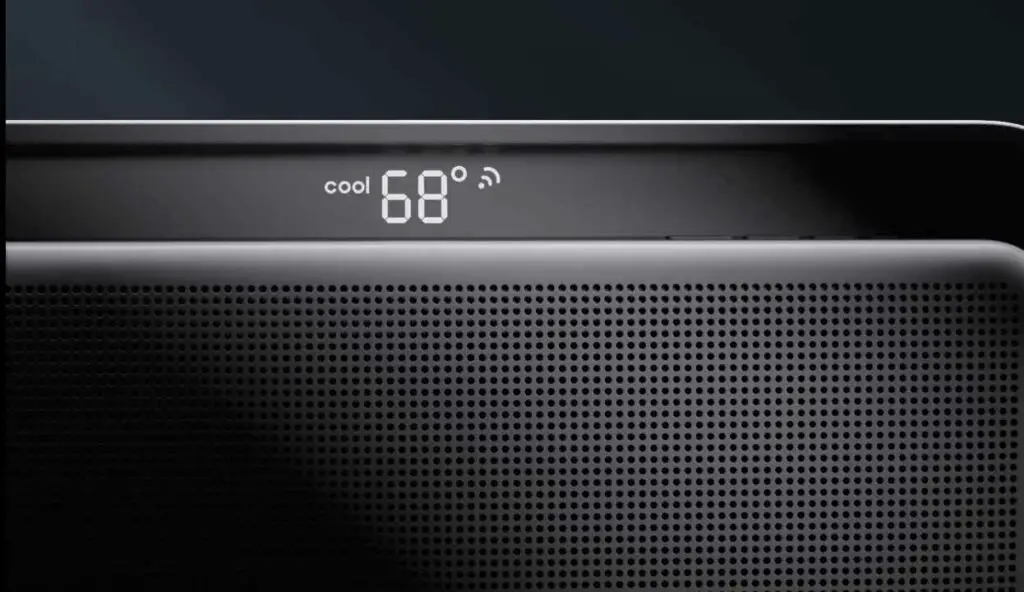
How Do You Reset the Filter on a Windmill Ac?

Resetting the filter on a windmill AC can help keep your system running efficiently and improve air quality in your home.

To reset the filter, first turn off power to the unit by either unplugging it or turning off the breaker at the main panel.

Once you have done this, locate and open up the access panel of the unit where you can find both fresh-air and return-air filters.

Remove any existing filters from their holders and check for dirt buildup or other debris that may be blocking airflow.

If there is an accumulation of dirt, use a vacuum cleaner to remove it before replacing with a new filter.

Once you’ve replaced all of your filters, close up the access panel and restore power back to your system.

With these steps completed, you should now have successfully reset your AC’s filter!
How Do You Reset the Filter on a Windmill Ac

Can You Clean an Ac Filter With Water?

It is possible to clean an air conditioner (AC) filter with water, but there are certain things you should keep in mind before doing so.

First, check the manufacturer’s instructions regarding cleaning your AC filter.

Some filters can be cleaned with a vacuum or mild detergent and water while others may require more specialized cleaners or even replacement.

If the manufacturer recommends using water, make sure that it is not too hot or cold; lukewarm temperature is ideal for cleaning an AC filter without damaging it.

Additionally, use a soft brush and do not scrub too hard as this could damage the delicate fibers of the filter.

Finally, make sure to thoroughly dry off your AC filter after washing it as any excess moisture left inside could cause mold growth within your air conditioning unit.

With these tips in mind, you can easily clean your AC filters with water and help maintain its efficiency over time!

Rate this post
Ralph P. Sita
Author: Ralph P. Sita

Ralph P. Sita is a seasoned professional with deep roots in both the HVAC and tech industries. His family’s business, Ralph P. Sita, Inc., is a locally owned and operated HVAC contractor with over 42 years of experience, serving the DC, Maryland, and Virginia areas. The company specializes in residential, commercial, and industrial heating, ventilation, and air conditioning services, offering everything from installation and maintenance to custom ductwork and indoor air quality solutions -www.ralphpsita.com. A former CPA, he spent the last decade as co-founder and co-CEO at Cybrary, a leading platform for cybersecurity and IT training. Cybrary became the largest, most well-known cybersecurity training businesses in the industry under his leadership. Smart AC Solutions is an opportunity to give back to the HVAC community by providing reliable, actionable information on all things heating and cooling.

Related Articles:

  1. How to Reset Clean Filter Light on Lg Ac? The Full Guide
  2. How to Clean Washable Ac Filter
  3. How to Clean Carrier Ac Filter?
  4. How to Clean Central Ac Filter
Ralph P. Sita

Ralph P. Sita is a seasoned professional with deep roots in both the HVAC and tech industries. His family’s business, Ralph P. Sita, Inc., is a locally owned and operated HVAC contractor with over 42 years of experience, serving the DC, Maryland, and Virginia areas. The company specializes in residential, commercial, and industrial heating, ventilation, and air conditioning services, offering everything from installation and maintenance to custom ductwork and indoor air quality solutions -www.ralphpsita.com.

A former CPA, he spent the last decade as co-founder and co-CEO at Cybrary, a leading platform for cybersecurity and IT training. Cybrary became the largest, most well-known cybersecurity training businesses in the industry under his leadership.

Smart AC Solutions is an opportunity to give back to the HVAC community by providing reliable, actionable information on all things heating and cooling.

Linkedin

Try our new Smart AC Solutions GPT

Description of Smart AC Solutions GPT and link to access.

  • Mastering Whole-Home Ventilation Rate Calculations: A Guide to ASHRAE 62.2 Standards
    by Ralph P. Sita
  • Understanding the Ozone-Based Air Purifier Risks in Occupied Spaces
    by Ralph P. Sita
  • Duct Pressurization Testing (Duct Blaster) Explained: What You Need to Know
    by Ralph P. Sita
  • Optimize Your HVAC Scheduler for Utility Time-of-Use Rates and Slash Energy Bills
    by Ralph P. Sita
  • Ensuring Home Energy Management System (HEMS) Compatibility for Your Smart Home
    by Ralph P. Sita
  • Fresh Air Damper Sizing Guide for Tight Construction: Ensuring Optimal Ventilation
    by Ralph P. Sita

Sites we love:
TrainACE

Facebook Twitter Pinterest YouTube

SmartACSolutions is your go-to source for the latest in heating and air conditioning news, tips, and expert advice.

  • About Us
  • Contact Us
  • Disclaimer
  • Privacy Policy
  • Sitemap

© 2026 Smart AC Solutions । DMCA Protected

SmartACSolutions.com is a property of FieldBin Inc.

Change Location
Find awesome listings near you!
  • Categories
    • AC Troubleshooting
    • Air Conditioner
      • Portable Air Conditioners
      • Room Air Conditioners
      • Split System Air Conditioners
      • Window Air Conditioners
      • Reviews & Prices
    • Thermostat Solutions
    • Calculator
  • Directory
  • Request HVAC Service
  • Join Our Pro Network
    • HVAC Businesses
      • Residential
      • Commercial
      • Emergency Services
    • Add Business
  • Register
  • Login
  • Forgot Password?