Skip to content
Smart AC Solutions
  • CategoriesExpand
    • AC Troubleshooting
    • Air ConditionerExpand
      • Portable Air Conditioners
      • Room Air Conditioners
      • Split System Air Conditioners
      • Window Air Conditioners
      • Reviews & Prices
    • Thermostat Solutions
    • Calculator
  • Directory
  • Request HVAC Service
  • Join Our Pro NetworkExpand
    • HVAC BusinessesExpand
      • Residential
      • Commercial
      • Emergency Services
    • Add Business
  • Register
  • Login
  • Forgot Password?
Smart AC Solutions
Air Conditioner

How to Turn off Energy Saver on Ac

ByRalph P. Sita Updated onJanuary 29, 2025

To enhance your comfort during gatherings, you may wish to turn off the Energy Saver feature on your air conditioner. This feature is designed to conserve energy and reduce utility bills; however, when hosting parties or having guests over, it’s essential to have your AC operating at full capacity for optimal comfort.

Here’s how to easily disable the Energy Saver mode on your AC:

  1. Locate the Thermostat: Typically found mounted on the wall near your AC unit.
  2. Identify the Control: Look for a switch or dial labeled “Energy Saver” or “Eco Mode.”
  3. Switch Off the Feature: Turn it to the “Off” position.
  4. Set Your Desired Temperature: Adjust the thermostat to your preferred cooling level.

Once you’ve followed these steps, you can enjoy a cool and comfortable environment without the constraints of energy conservation, making your home the perfect place for entertaining.

How to Turn off Energy Saver on Ac

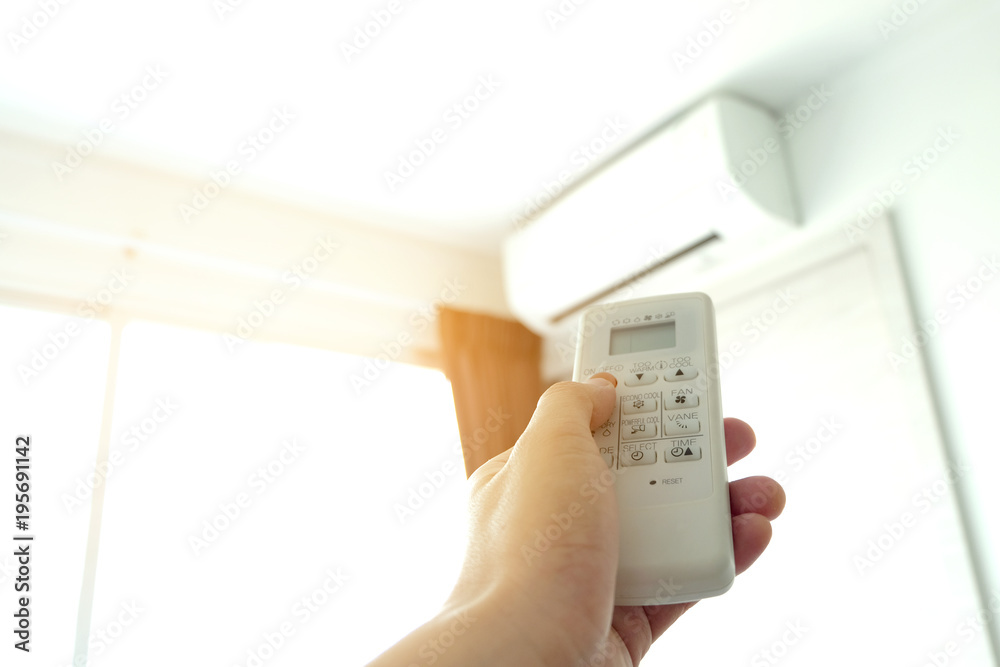
Credit: stock.adobe.com

Page Contents

Toggle
  • How Do I Turn off Power Save Mode on My Air Conditioner?
  • Does Energy Saver Turn off Ac?
  • Should I Put My Ac on Energy Saver?
  • What is Energy-Saving Mode on Thermostat?
  • LG Window Air Conditioner Energy Saving Mode
    • Related Articles

How Do I Turn off Power Save Mode on My Air Conditioner?

If you want to turn off power save mode on your air conditioner, there are a few things that you need to know. First, power save mode is designed to save energy by turning the air conditioner off when it is not needed. This can be beneficial if you are trying to conserve energy or reduce your carbon footprint.

However, if you find that power save mode is causing your air conditioner to cycle too frequently or not cool your home sufficiently, you may want to disable this feature. Here are a few steps on how to turn off power save mode on your air conditioner: 1) Locate the power button on your air conditioner.

This is typically located on the control panel of the unit. 2) Press and hold the power button for three seconds. You should see a message appear on the display screen that says “power save mode disabled.”

3) If this does not work, consult your owner’s manual for further instructions. 4) Once you have successfully turned off power save mode, make sure to adjust the thermostat accordingly so that your air conditioner will operate at optimal efficiency.

Does Energy Saver Turn off Ac?

No, energy saver does not turn off your air conditioner. Energy saver is a feature on some air conditioners that allows the unit to run at a lower power setting when cooling demand is low. This can save you money on your energy bill, but it will not turn off your AC unit.

Should I Put My Ac on Energy Saver?

Before we answer the question of whether you should put your AC on energy saver, let’s first understand what energy saver mode is and how it works. Energy saver mode is a function on many air conditioners that allows the unit to operate at a lower capacity for a set period of time, usually 1-3 hours. This can save you money on your electric bill as it reduces the amount of power used by the AC unit.

Now that we know what energy saver mode is, let’s address the question of whether or not you should use it. The answer to this question depends on several factors, such as the weather outside, how much money you’re willing to spend on your electric bill, and how comfortable you want your home to be. If it’s a hot day and you want your home to be cool and comfortable, then using energy saver mode may not be the best option.

This is because the AC unit will take longer to cool down your home in energy saver mode than if it was running at full capacity. However, if you’re willing to sacrifice some comfort for savings on your electric bill, then putting your AC in energy saver mode could be a good choice. In general, we recommend using energy saver mode when it’s not too hot outside and you don’t mind sacrificing some degree of comfort for lower electricity costs.

What is Energy-Saving Mode on Thermostat?

Setting your thermostat to energy-saving mode can help you conserve energy and lower your utility bills. Energy-saving mode typically lowers the temperature set point of your thermostat, which can result in less heating or cooling being used. Some thermostats also have an automatic energy-saving feature that will engage the energy-saving mode when it detects that no one is home.

LG Window Air Conditioner: Energy Saving Mode

Rate this post
Ralph P. Sita
Author: Ralph P. Sita

Ralph P. Sita is a seasoned professional with deep roots in both the HVAC and tech industries. His family’s business, Ralph P. Sita, Inc., is a locally owned and operated HVAC contractor with over 42 years of experience, serving the DC, Maryland, and Virginia areas. The company specializes in residential, commercial, and industrial heating, ventilation, and air conditioning services, offering everything from installation and maintenance to custom ductwork and indoor air quality solutions -www.ralphpsita.com. A former CPA, he spent the last decade as co-founder and co-CEO at Cybrary, a leading platform for cybersecurity and IT training. Cybrary became the largest, most well-known cybersecurity training businesses in the industry under his leadership. Smart AC Solutions is an opportunity to give back to the HVAC community by providing reliable, actionable information on all things heating and cooling.

Related Articles:

  1. How to Reduce Energy Bills: 7 HVAC Adjustments to Slash Your Energy Bills This Summer
  2. 5 Ways Geothermal Energy for Homes Saves You Money & Energy
  3. Why Won’t My Daikin AC Turn On? Unraveling the Mystery
  4. How to Turn on Air Conditioner
Ralph P. Sita

Ralph P. Sita is a seasoned professional with deep roots in both the HVAC and tech industries. His family’s business, Ralph P. Sita, Inc., is a locally owned and operated HVAC contractor with over 42 years of experience, serving the DC, Maryland, and Virginia areas. The company specializes in residential, commercial, and industrial heating, ventilation, and air conditioning services, offering everything from installation and maintenance to custom ductwork and indoor air quality solutions -www.ralphpsita.com.

A former CPA, he spent the last decade as co-founder and co-CEO at Cybrary, a leading platform for cybersecurity and IT training. Cybrary became the largest, most well-known cybersecurity training businesses in the industry under his leadership.

Smart AC Solutions is an opportunity to give back to the HVAC community by providing reliable, actionable information on all things heating and cooling.

Linkedin

Try our new Smart AC Solutions GPT

Description of Smart AC Solutions GPT and link to access.

  • experience-the-excitement-of-live-football-your-ultimate-guide-to-watching-the-b
    by vtorralba
  • Air Conditioner Troubleshooting: 10 Common Issues and Solutions
    by alovell
  • Central Heat and Air Unit Not Working? Troubleshooting Guide
    by alovell
  • HVAC Moisture Control Issues: Causes and Effective Solutions
    by alovell
  • Common Problems with Ducted Air Conditioning and How to Fix Them
    by alovell
  • Common Issues with Two-Stage Air Conditioners and How to Fix Them
    by alovell

Sites we love:
TrainACE

Facebook Twitter Pinterest YouTube

SmartACSolutions is your go-to source for the latest in heating and air conditioning news, tips, and expert advice.

  • About Us
  • Contact Us
  • Disclaimer
  • Privacy Policy
  • Sitemap

© 2025 Smart AC Solutions । DMCA Protected

SmartACSolutions.com is a property of FieldBin Inc.

Change Location
Find awesome listings near you!
  • Categories
    • AC Troubleshooting
    • Air Conditioner
      • Portable Air Conditioners
      • Room Air Conditioners
      • Split System Air Conditioners
      • Window Air Conditioners
      • Reviews & Prices
    • Thermostat Solutions
    • Calculator
  • Directory
  • Request HVAC Service
  • Join Our Pro Network
    • HVAC Businesses
      • Residential
      • Commercial
      • Emergency Services
    • Add Business
  • Register
  • Login
  • Forgot Password?