If you’re wondering why your AC keep going into recovery mode, there could be several reasons. First, it could be an issue with the thermostat. If the thermostat is not set properly, it can cause the AC unit to cycle on and off more frequently than normal, which can lead to the unit going into recovery mode.
Another possibility is that the AC unit is not sized properly for the space it is cooling. If the unit is too small for the space, it will have to work harder to cool the space, which can lead to the unit going into recovery mode.
Finally, it is possible that there is a problem with the AC unit itself. If the unit is not properly maintained, it can develop problems that cause it to go into recovery mode.
In this blog post, we will go deeper to find out the possible reasons why ac keep going into recovery mode, and how to fix it. So, stay tuned with us.
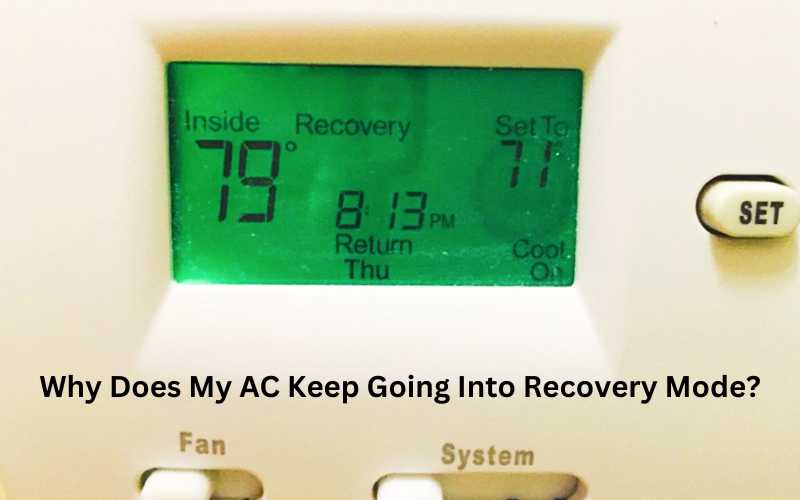
The Reasons AC Keep Going Into Recovery Mode
There are several reasons why an AC may go into recovery mode:
Temperature adjustment: Recovery mode is a normal setting on programmable thermostats that indicates the thermostat is in the process of adjusting the temperature of your home. It occurs when the thermostat has been off or in an energy-efficient mode for a while and is gradually raising or lowering the temperature without using excess energy.
Scheduled temperature changes: If you have programmed your thermostat to change the temperature at specific times, the AC may enter recovery mode to start cooling or heating shortly before the scheduled time. This ensures that your desired temperature is reached on time.
Electrical glitch or user error: In some cases, recovery mode may happen due to an electrical glitch or user error. This could be a result of unintentional changes made to the thermostat settings or a malfunction in the thermostat itself.
Smart thermostat programming: Smart thermostats can learn patterns in your heating or cooling usage and program themselves accordingly. They may enter recovery mode based on these patterns to optimize energy efficiency and provide comfort.
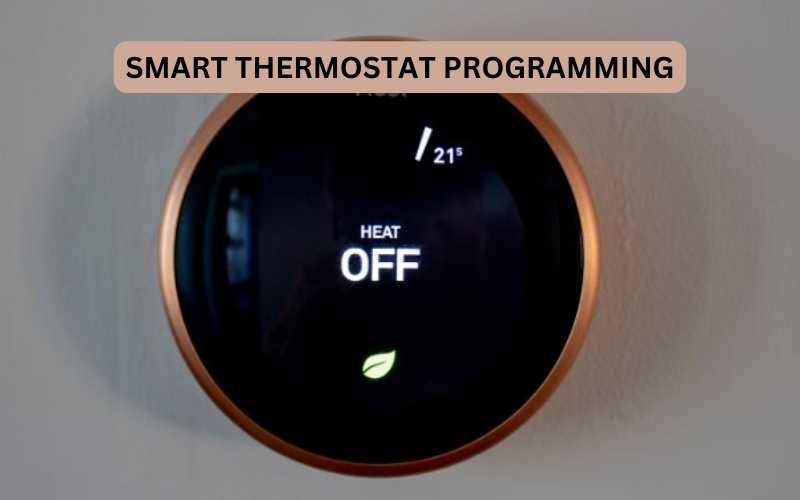
Thermal shocks and increased efficiency: Recovery mode can also help the thermostat handle thermal shocks caused by drastic temperature changes throughout the day. It allows the thermostat to adapt and adjust accordingly, resulting in increased efficiency.
It’s important to note that recovery mode is generally harmless and a normal part of thermostat operation. However, if the AC frequently goes into recovery mode without any scheduled temperature changes or if there are other issues with the system, it may be worth checking for electrical glitches or contacting a professional for further troubleshooting.
How long does recovery mode typically last?
The duration of recovery mode can vary depending on the thermostat settings and the HVAC system. Recovery mode usually lasts for about an hour before the temperature is set to change.
However, recovery mode can occur at any time when the thermostat is adjusting the temperature of your home. Recovery mode is a normal setting on programmable thermostats, and it is designed to gradually raise or lower the temperature without using excess energy.
Recovery mode can also help the thermostat handle thermal shocks caused by drastic temperature changes throughout the day.
If the AC frequently goes into recovery mode without any scheduled temperature changes or if there are other issues with the system, it may be worth checking for electrical glitches or contacting a professional for further troubleshooting
How do I get my AC out of recovery mode?
To get your AC out of recovery mode, you can try the following steps:
Check the thermostat display: Look for any indication of recovery mode on the thermostat display. It may show the word “recovery” or “smart recovery,” or there may be a small icon or light glowing on the display.
Wait for the desired temperature: Recovery mode will stay on the display until your HVAC system reaches the desired temperature. Allow the system some time to reach the set temperature, and the recovery mode should automatically end once the desired temperature is achieved.
Adjust thermostat settings: If you want to manually override or disable recovery mode, consult your thermostat manual for instructions on accessing the settings. The manual should provide information on how to navigate through the settings and make changes. If you’re unsure, you can contact a professional for assistance.
Delay recovery mode: Some thermostats allow you to delay when recovery mode starts. This can be useful if you want to adjust the timing of when your AC starts cooling or heating. Check your thermostat manual for instructions on how to delay recovery mode.
Troubleshooting: If recovery mode persists or occurs unexpectedly, it could be due to electrical glitches, user error, or other issues with the thermostat or HVAC system. In such cases, it may be necessary to contact a professional HVAC technician to diagnose and resolve the problem.
Remember to consult your thermostat manual for specific instructions related to your thermostat model. If you’re unsure or need further assistance, it’s always a good idea to seek help from a professional HVAC technician.
How do I bypass the recovery mode on a Honeywell thermostat?
If you need to bypass the recovery mode on your Honeywell thermostat, there are a few things you’ll need to do.
First, you’ll need to identify the jumper wire on the control board. This is usually a blue or red wire.
Once you’ve found the jumper wire, you’ll need to remove it from the control board. Once the jumper wire is removed, you’ll need to power the thermostat back on.
After the thermostat powers on, you’ll need to enter the bypass code. The bypass code is usually four digits long. After you’ve entered the bypass code, the recovery mode should be bypassed.
Why Does My Honeywell thermostat go into recovery mode?
If your Honeywell thermostat is going into recovery mode, it could be because the thermostat is set to the wrong mode. The most likely mode that your thermostat is set to is the “Off” mode. To fix this, simply change the mode to “Heat” or “Cool”.
It’s also possible that the thermostat is set to the wrong temperature. If the thermostat is set to a temperature that is too low, it will go into recovery mode in order to reach the set temperature. To fix this, simply increase the temperature that the thermostat is set to.
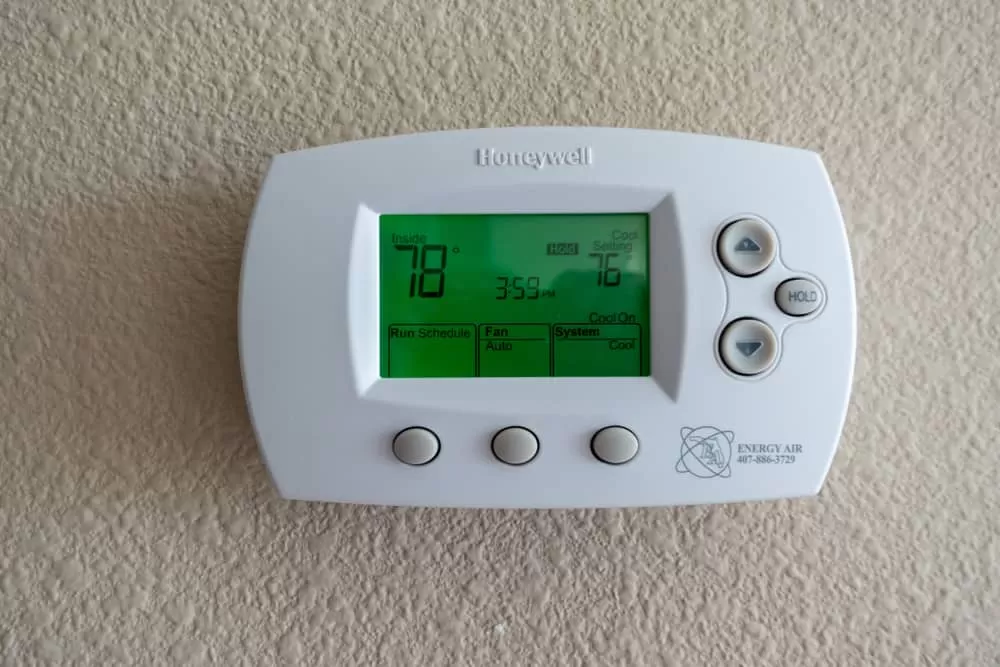
Why does my thermostat go into recovery mode?
If your thermostat is going into “recovery mode”, it means that it is trying to bring the temperature of your home back to the set point. This can happen for a number of reasons, but the most common one is that the temperature in your home has dropped below the set point. There are a few things that can cause the temperature in your home to drop.
One is that the furnace is not running as efficiently as it should be. This can be caused by a number of things, including a dirty filter or a problem with the blower. Another possibility is that there is a draft in the home that is causing the heat to escape.
This can be caused by a number of things, including gaps around doors and windows. If your thermostat is going into recovery mode, it is important to identify the cause so that it can be fixed. Otherwise, you may find yourself having to constantly adjust the temperature to keep your home comfortable.
How to override recovery mode on thermostat?
If you need to override the recovery mode on your thermostat, there are a few things you’ll need to do.
First, you’ll need to turn off the power to the thermostat.
Next, you’ll need to remove the thermostat’s cover. Once the cover is off, you’ll need to locate the recovery mode switch. This switch is usually located near the batteries. Once you’ve found the switch, you’ll need to move it to the “off” position.
Finally, you’ll need to replace the thermostat’s cover and turn the power back on.
Ac unit says recovery
If your AC unit says “recovery” on the display, it means the unit is in the process of restarting after a power outage. The unit will first go through a self-diagnostic routine to check for any errors. Once the unit is cleared to start, it will begin the recovery process.
The recovery process can take up to 30 minutes. During this time, the AC unit will slowly ramp up to its full operating capacity. The unit will also go through a series of tests to ensure that all components are working properly.
Once the unit is fully operational, it will return to its normal mode of operation. If you have any questions about the recovery process, or if your AC unit does not seem to be functioning properly, please contact a qualified technician for assistance.
Honeywell thermostat in recovery ac not working
If your Honeywell thermostat isn’t working in recovery mode, there are a few things you can check. First, make sure that the batteries are fresh and installed correctly. Next, check the thermostat’s settings to ensure that it’s configured correctly for your AC unit.
Finally, if you’re still having trouble, you can contact Honeywell customer support for help.
Honeywell’s recovery mode turn off
If you have a Honeywell security system in your home, you may be wondering what the recovery mode is and how to turn it off. Recovery mode is a feature of the Honeywell system that allows you to restore the system to its factory default settings. This can be useful if you have forgotten your code or if you want to reset the system after a power outage.
To turn off recovery mode, you will need to access the system’s main control panel. Once you are at the control panel, press the * and # keys simultaneously. This will bring up the recovery mode menu.
From here, you can select the option to turn off recovery mode. Once you have done this, the system will restart and be back to its normal operating mode.
Honeywell thermostat recovery mode
If you have a Honeywell thermostat, you may be wondering what the recovery mode is and how to use it. Recovery mode is a feature that allows you to restore your thermostat to its factory default settings. This can be useful if you have made changes to your thermostat that you no longer want, or if you want to reset your thermostat after a power outage.
To enter recovery mode, press and hold the “Reset” button for 5 seconds. The display will then show the word “Recovery” followed by the current time. To exit recovery mode, press the “Reset” button again.
Once you are in recovery mode, you can use the up and down arrows to scroll through the menu options. To select an option, press the “Select” button.
The available options are:
– Restore Factory Default Settings: This will restore all of your thermostat’s settings to their factory defaults.
– Restore Schedules: This will restore your thermostat’s heating and cooling schedules to their factory defaults.
– Restore Language: This will restore your thermostat’s display language to its factory default setting.
– Exit Recovery Mode: This will exit recovery mode and return you to the normal operating mode of your thermostat.
Once you have made your selection, press the “Select” button to confirm and then follow the prompts on the display.
Honeywell T6 Pro disables recovery mode
If you have a Honeywell T6 Pro thermostat, you may be wondering how to disable recovery mode. Recovery mode is a feature that allows the thermostat to automatically adjust the temperature based on the heat loss or gain of your home.
While this can be a helpful feature, it can also be a hindrance if you want to maintain a specific temperature.
Luckily, it’s easy to disable recovery mode on your T6 Pro.
Here’s how:
- Press the Menu button on the thermostat.
- Select Settings.
- Select System.
- Press Recovery.
- Turn Off.
Now, your T6 Pro will no longer automatically adjust the temperature based on heat loss or gain. You can manually adjust the temperature as needed without worrying that it will revert to a different setting.
Honeywell rth7600 recovery mode
If you have a Honeywell RTH7600 thermostat, you may be wondering what the recovery mode is and what it does. Recovery mode is a feature that allows the thermostat to maintain its set temperature in the event of a power outage. When the power comes back on, the thermostat will automatically resume its normal operation.
To use recovery mode, simply set the thermostat to the desired temperature and then turn off the power. When the power comes back on, the thermostat will resume its normal operation and maintain the set temperature. Recovery mode is a great feature to have in case of a power outage.
It ensures that your home will remain comfortable, and your set temperature will not be lost.
What To Do When Thermostat Says Wait or Recovery?
Conclusion
If your AC unit keeps going into Recovery mode, there are a few possible reasons why. One reason could be that the air filter is dirty and needs to be replaced. Another reason could be that the evaporator coils are frozen.
If this is the case, you’ll need to turn off the AC unit and let the coils thaw out. Finally, if your AC unit is low on refrigerant, it will also go into Recovery mode. If this is the problem, you’ll need to have a professional come and recharge your AC unit.
