Skip to content
Smart AC Solutions
  • CategoriesExpand
    • AC Troubleshooting
    • Air ConditionerExpand
      • Portable Air Conditioners
      • Room Air Conditioners
      • Split System Air Conditioners
      • Window Air Conditioners
      • Reviews & Prices
    • Thermostat Solutions
    • Calculator
  • Directory
  • Request HVAC Service
  • Join Our Pro NetworkExpand
    • HVAC BusinessesExpand
      • Residential
      • Commercial
      • Emergency Services
    • Add Business
  • Register
  • Login
  • Forgot Password?
Smart AC Solutions
Air Conditioner

Ac High Pressure Switch Location – The right Location

ByRalph P. Sita Updated onFebruary 5, 2025

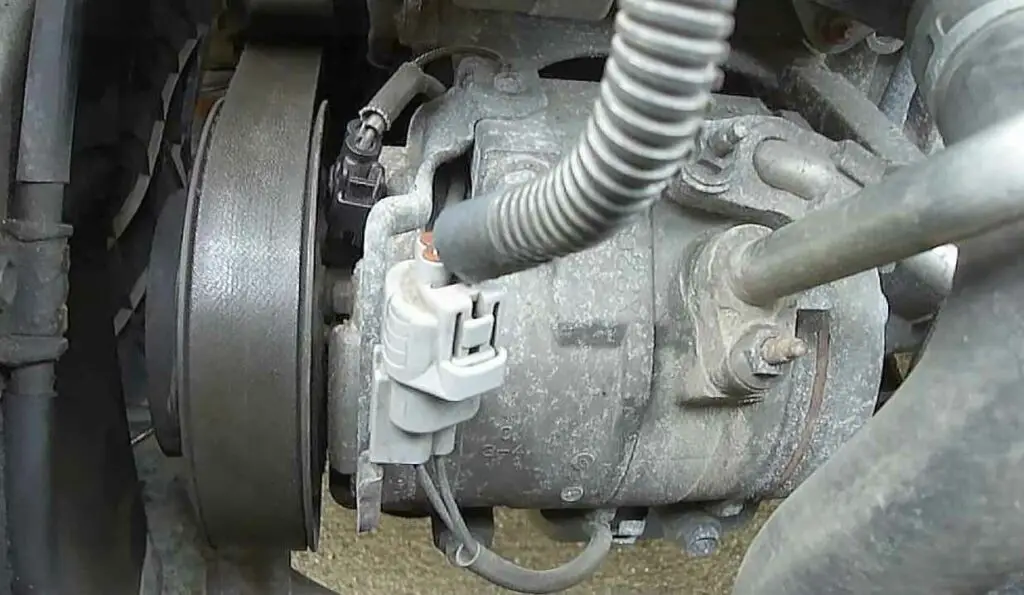
To effectively locate the high pressure switch in an air conditioning (AC) system, it’s essential to understand its typical placement and components. Usually situated near the compressor, which is found outside of a home or building, the high pressure switch can also be located inside a furnace closet depending on the unit’s installation design. This switch is identifiable by its two connected wires and is secured in place with screws.

To access the high pressure switch, you may need to remove certain panels or covers from your AC unit. This allows you to explore the internal wiring and components safely. Once you find the switch, ensure you disconnect the attached wires before removing it from its mounting bracket, especially if a replacement is necessary. By following these steps, homeowners can confidently address issues related to their AC system, ensuring optimal performance and longevity.

Ac High Pressure Switch Location

Page Contents

Toggle
  • Ac High Pressure Switch fails Symptoms
  • Ac High Pressure Switch Test
  • How to Replace High Pressure Switch on Ac Compressor?
  • How Do You Reset an Ac High Pressure Switch?
  • How to Baypass 2 wire 3 wire & 4 wire Car AC high pressure switch
    • Related Articles

Ac High Pressure Switch fails Symptoms

An AC high pressure switch is an essential component of your home’s air conditioning system, and when it fails, it can cause a variety of symptoms.

Common signs that the switch has malfunctioned include strange noises coming from the unit, reduced airflow, decreased cooling efficiency, water leaking from the unit or outdoor condenser fan running continuously without turning off.

If you notice any of these AC system issues, contact a technician to inspect and replace the high pressure switch as soon as possible.

Ac High Pressure Switch Test

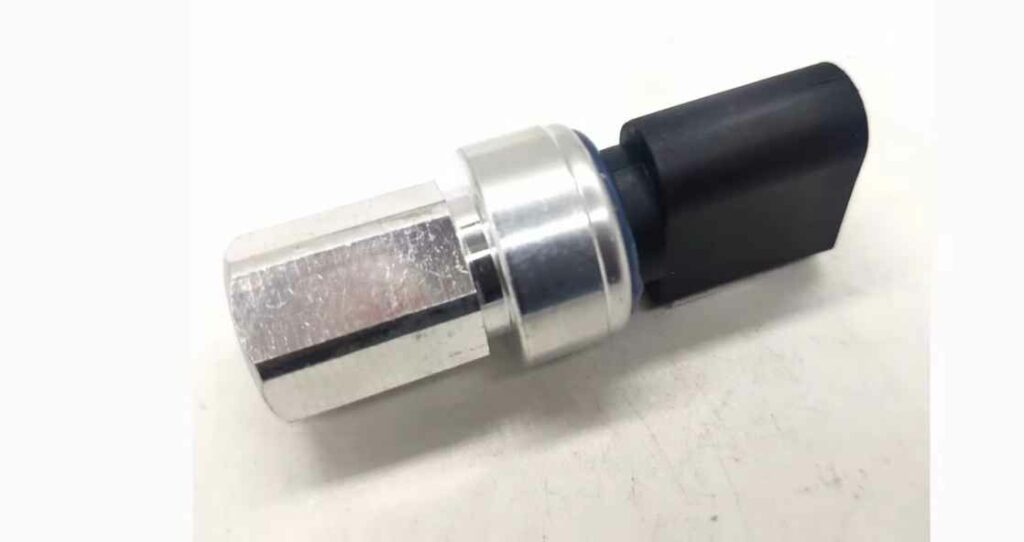
Testing involves checking for continuity between terminals and verifying that there is no voltage present when the contacts are open or closed.

Additionally, it’s important to verify that current flows freely when the contacts are closed and switches off when they’re open.

If any abnormalities are detected during testing, a professional should be consulted before using the AC unit again.
Ac High Pressure Switch Test

How to Replace High Pressure Switch on Ac Compressor?

Replacing the high pressure switch on an AC compressor can be a complicated process, but it is necessary to ensure that your air conditioner is running properly.

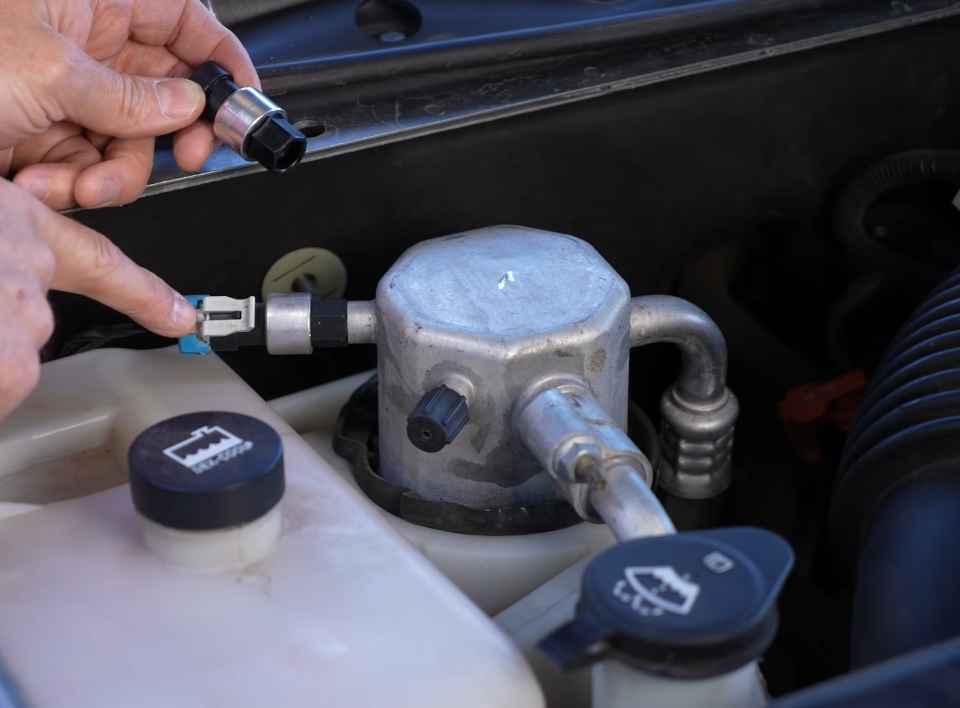
First, you will need to shut off the power and disconnect all of the wires from both sides of the switch.

Next, remove any mounting screws or clips holding the switch in place and carefully pull out from its housing.

Once removed, install the new high pressure switch by attaching it with mounting screws or clips and then re-attaching all wires to their respective terminals.

Finally, turn on your AC system again to test for proper operation.
How to Replace High Pressure Switch on Ac Compressor

How Do You Reset an Ac High Pressure Switch?

If you find yourself needing to reset an AC high pressure switch, the process is fairly simple.

First, locate the switch which is typically located on or near the condenser unit.

It will be a small cylindrical device with two wires leading into it.

Shut off power to the air conditioner and disconnect one of these wires from terminals on either side of the switch.

Next, use a flathead screwdriver to press down firmly on top of the button in order for it to reset itself; you should hear a click when properly done so.

Once that’s complete, reattach both wires back onto their respective sides and turn your air conditioner back on again; if all goes well then there should no longer be any problems associated with its operation!

How to Baypass 2 wire 3 wire & 4 wire Car AC high pressure switch

5/5 - (2 votes)
Ralph P. Sita
Author: Ralph P. Sita

Ralph P. Sita is a seasoned professional with deep roots in both the HVAC and tech industries. His family’s business, Ralph P. Sita, Inc., is a locally owned and operated HVAC contractor with over 42 years of experience, serving the DC, Maryland, and Virginia areas. The company specializes in residential, commercial, and industrial heating, ventilation, and air conditioning services, offering everything from installation and maintenance to custom ductwork and indoor air quality solutions -www.ralphpsita.com. A former CPA, he spent the last decade as co-founder and co-CEO at Cybrary, a leading platform for cybersecurity and IT training. Cybrary became the largest, most well-known cybersecurity training businesses in the industry under his leadership. Smart AC Solutions is an opportunity to give back to the HVAC community by providing reliable, actionable information on all things heating and cooling.

Related Articles:

  1. How to Test 3 Wire Ac Pressure Switch
  2. How Much Pressure is on the High Side of an Air Conditioner?
  3. Safe T Switch Ac Keeps Filling With Water | What’s Now?
  4. How to Bypass Ac Float Switch?
Ralph P. Sita

Ralph P. Sita is a seasoned professional with deep roots in both the HVAC and tech industries. His family’s business, Ralph P. Sita, Inc., is a locally owned and operated HVAC contractor with over 42 years of experience, serving the DC, Maryland, and Virginia areas. The company specializes in residential, commercial, and industrial heating, ventilation, and air conditioning services, offering everything from installation and maintenance to custom ductwork and indoor air quality solutions -www.ralphpsita.com.

A former CPA, he spent the last decade as co-founder and co-CEO at Cybrary, a leading platform for cybersecurity and IT training. Cybrary became the largest, most well-known cybersecurity training businesses in the industry under his leadership.

Smart AC Solutions is an opportunity to give back to the HVAC community by providing reliable, actionable information on all things heating and cooling.

Linkedin

Try our new Smart AC Solutions GPT

Description of Smart AC Solutions GPT and link to access.

  • Heater Smells Like Burning Plastic? Common Causes and Solutions
    by Ralph P. Sita
  • How to Improve Airflow in Upstairs Bedrooms for Heating: Expert Tips & Tricks
    by Ralph P. Sita
  • Mastering the Flame: A Step-by-Step Guide to Lighting a Pilot Light on an Old Floor Furnace
    by Ralph P. Sita
  • Troubleshooting Your Water Heater: How to Fix a Pilot Light That Won’t Stay Lit
    by Ralph P. Sita
  • Why is Water Leaking From the Bottom of My Furnace? Common Causes & Solutions
    by Ralph P. Sita
  • DIY Guide: How to Clean a Flame Sensor on Your Rheem Furnace
    by Ralph P. Sita

Sites we love:
TrainACE

Facebook Twitter Pinterest YouTube

SmartACSolutions is your go-to source for the latest in heating and air conditioning news, tips, and expert advice.

  • About Us
  • Contact Us
  • Disclaimer
  • Privacy Policy
  • Sitemap

© 2026 Smart AC Solutions । DMCA Protected

SmartACSolutions.com is a property of FieldBin Inc.

Change Location
Find awesome listings near you!
  • Categories
    • AC Troubleshooting
    • Air Conditioner
      • Portable Air Conditioners
      • Room Air Conditioners
      • Split System Air Conditioners
      • Window Air Conditioners
      • Reviews & Prices
    • Thermostat Solutions
    • Calculator
  • Directory
  • Request HVAC Service
  • Join Our Pro Network
    • HVAC Businesses
      • Residential
      • Commercial
      • Emergency Services
    • Add Business
  • Register
  • Login
  • Forgot Password?