Skip to content
Smart AC Solutions
  • CategoriesExpand
    • AC Troubleshooting
    • Air ConditionerExpand
      • Portable Air Conditioners
      • Room Air Conditioners
      • Split System Air Conditioners
      • Window Air Conditioners
      • Reviews & Prices
    • Thermostat Solutions
    • Calculator
  • Directory
  • Request HVAC Service
  • Join Our Pro NetworkExpand
    • HVAC BusinessesExpand
      • Residential
      • Commercial
      • Emergency Services
    • Add Business
  • Register
  • Login
  • Forgot Password?
Smart AC Solutions
Troubleshoot

DeLonghi Portable Air Conditioner Reset Button Location

ByRalph P. Sita Updated onDecember 29, 2024

The secret reset button on your DeLonghi Portable Air Conditioner is a hidden feature that can help restore its performance. By locating and using this reset button, you can effectively revive your unit’s cooling ability. Simply unplug your unit, wait a few minutes, and press and hold the reset button if available. This action triggers a reset, ensuring that your air conditioner is ready to resume normal operation and maintain a cool and comfortable environment.

Page Contents

Toggle
  • DeLonghi Portable Air Conditioner Reset Button! Secret
  • Common Problems with DeLonghi Portable AC
  • DeLonghi AC Error Codes
  • How do I reset DeLonghi pinguino?
  • DeLonghi Portable AC Not Working
  • DeLonghi Pinguino Troubleshooting
  • How to Fix DeLonghi Portable AC?
    • Related Articles

DeLonghi Portable Air Conditioner Reset Button! Secret

To reset your DeLonghi portable air conditioner, start by powering it down and unplugging it. Allow 5-10 minutes for the internal components to reset.

Afterward, plug it back in. For models with a reset button, press and hold it for a while before releasing.

Switch the air conditioner on to check for normal operation. If no specific reset button exists, these steps serve as a basic reset.

Common Problems with DeLonghi Portable AC

Possible issues with an air conditioner:

1. Inadequate Cooling:

   – Due to low refrigerant, clogged air filter, or a thermostat malfunction.

2. Loud Noises:

   – Caused by loose or damaged parts like fan blades or compressors.

3. Water Leakage:

   – Resulting from a clogged drain line or malfunctioning drain pan.

4. Failure to Turn On:

   –  Blown fuse, faulty power cord, or malfunctioning control panel may prompt difficulty in turning on the AC.

5. Remote Control Issues:

   – Resulting from a faulty remote, dead battery, or malfunctioning receiver.

DeLonghi AC Error Codes

Sometimes, DeLonghi portable AC might show error codes on the control panel or display screen to indicate an issue with the unit.
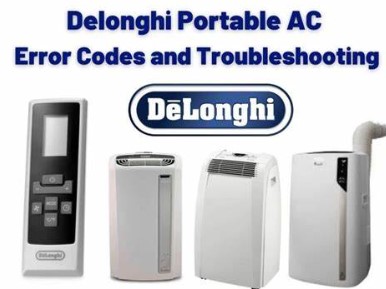
DeLonghi AC Error Codes

Some common error codes are:

E1: The temperature sensor appears frostbitten, leaving it frosty.

E2: The humidity sensor wanders lost amid a dense fog, struggling for clarity.

E3: The fan motor chooses an unscheduled vacation, leaving the air stagnant.

E4: The compressor takes a cooling break, halting its usual symphony.

E5: The air filter stages a dusty protest, refusing its cleaning duties.

E6: The control panel whimsically navigates settings, behaving like a mischievous puppet.

How do I reset DeLonghi pinguino?

Resetting your Delonghi Pinguino AC includes these steps:

1. Power Off: Make sure that the unit is turned off via the control board or remote.

2. Unplug: Disconnect the AC from the power source for 5-10 minutes to discharge any residual electricity.

3. Plug-In: Reconnect the unit to the plug.

4. Reset Button: For models with a reset button, find it on the control board or consult the manual. Hold the button for a few seconds until the display blinks or changes.

5. Factory Settings: In the absence of a dedicated reset button, access the settings menu according to the user manual. Reset the unit.

6. Remote Control: If applicable, reset the remote by removing its batteries briefly and then reinserting them.

7. Power On: After completing the reset, turn on the AC via the control panel or remote. Your unit should be reset and ready for use.

DeLonghi Portable AC Not Working

If your DeLonghi portable air conditioner isn’t functioning, consider these troubleshooting steps:

   – Ensure the unit is plugged into a working outlet and the power switch is on.

   – Verify the filters for dirt; clean or replace them if needed.

   – Clear any obstructions in the air intake and exhaust vents.

If issues persist despite these steps, seeking assistance from a professional technician might be necessary for further diagnosis and repair.

DeLonghi Pinguino Troubleshooting

The DeLonghi Pinguino, a portable AC suitable for homes and workplaces, requires no installation, offering comfort for cooling spaces bother-free.

However, encountering occasional issues is possible. troubleshooting common issues:

1. Inadequate Cooling:

   – Check the air filter and replace it if it is dirty. Find replacements at hardware stores or online.

   – Make sure that all vents remain unhindered for proper functionality.

2. Water Leakage:

   – Unblock the drainage hole at the unit’s back; clear any obstruction before reuse.

3. Strange Noises:

   – Ice build-up on evaporator coils could be the reason.

   – Turn off the Pinguino, allowing it to defrost for a few hours before restarting.

These steps often address common issues encountered with the Pinguino.

How to Fix DeLonghi Portable AC?

If your DeLonghi portable AC isn’t working as expected, attempt these steps:

1. Power Cord Check:

   – Make sure that the cord is correctly connected.

2. Filter Inspection:

   – Clean dirty filters to optimize performance.

3. Condenser Coil Examination:

   – Clean dirty condenser coils for improved efficiency.

If issues persist, seeking help from a professional technician may be vital.

5/5 - (3 votes)
Ralph P. Sita
Author: Ralph P. Sita

Ralph P. Sita is a seasoned professional with deep roots in both the HVAC and tech industries. His family’s business, Ralph P. Sita, Inc., is a locally owned and operated HVAC contractor with over 42 years of experience, serving the DC, Maryland, and Virginia areas. The company specializes in residential, commercial, and industrial heating, ventilation, and air conditioning services, offering everything from installation and maintenance to custom ductwork and indoor air quality solutions -www.ralphpsita.com. A former CPA, he spent the last decade as co-founder and co-CEO at Cybrary, a leading platform for cybersecurity and IT training. Cybrary became the largest, most well-known cybersecurity training businesses in the industry under his leadership. Smart AC Solutions is an opportunity to give back to the HVAC community by providing reliable, actionable information on all things heating and cooling.

Related Articles:

  1. Payne Air Conditioner Reset Button Location | Where?
  2. GMC air conditioner reset button [Location and Resetting]
  3. Ac High Pressure Switch Location – The right Location
  4. Friedrich Air Conditioner Reset Button [How to Reset it]
Ralph P. Sita

Ralph P. Sita is a seasoned professional with deep roots in both the HVAC and tech industries. His family’s business, Ralph P. Sita, Inc., is a locally owned and operated HVAC contractor with over 42 years of experience, serving the DC, Maryland, and Virginia areas. The company specializes in residential, commercial, and industrial heating, ventilation, and air conditioning services, offering everything from installation and maintenance to custom ductwork and indoor air quality solutions -www.ralphpsita.com.

A former CPA, he spent the last decade as co-founder and co-CEO at Cybrary, a leading platform for cybersecurity and IT training. Cybrary became the largest, most well-known cybersecurity training businesses in the industry under his leadership.

Smart AC Solutions is an opportunity to give back to the HVAC community by providing reliable, actionable information on all things heating and cooling.

Linkedin

Try our new Smart AC Solutions GPT

Description of Smart AC Solutions GPT and link to access.

  • Heater Smells Like Burning Plastic? Common Causes and Solutions
    by Ralph P. Sita
  • How to Improve Airflow in Upstairs Bedrooms for Heating: Expert Tips & Tricks
    by Ralph P. Sita
  • Mastering the Flame: A Step-by-Step Guide to Lighting a Pilot Light on an Old Floor Furnace
    by Ralph P. Sita
  • Troubleshooting Your Water Heater: How to Fix a Pilot Light That Won’t Stay Lit
    by Ralph P. Sita
  • Why is Water Leaking From the Bottom of My Furnace? Common Causes & Solutions
    by Ralph P. Sita
  • DIY Guide: How to Clean a Flame Sensor on Your Rheem Furnace
    by Ralph P. Sita

Sites we love:
TrainACE

Facebook Twitter Pinterest YouTube

SmartACSolutions is your go-to source for the latest in heating and air conditioning news, tips, and expert advice.

  • About Us
  • Contact Us
  • Disclaimer
  • Privacy Policy
  • Sitemap

© 2025 Smart AC Solutions । DMCA Protected

SmartACSolutions.com is a property of FieldBin Inc.

Change Location
Find awesome listings near you!
  • Categories
    • AC Troubleshooting
    • Air Conditioner
      • Portable Air Conditioners
      • Room Air Conditioners
      • Split System Air Conditioners
      • Window Air Conditioners
      • Reviews & Prices
    • Thermostat Solutions
    • Calculator
  • Directory
  • Request HVAC Service
  • Join Our Pro Network
    • HVAC Businesses
      • Residential
      • Commercial
      • Emergency Services
    • Add Business
  • Register
  • Login
  • Forgot Password?