A flashing snowflake on your thermostat is a common issue during the winter months, and it’s crucial to address it promptly.
This symbol usually indicates that your thermostat is in cooling mode, which can be problematic when heating your home. Ignoring it can lead to discomfort and increased energy bills.
To fix this issue, start by checking the thermostat settings. Ensure that it’s set to heating mode rather than cooling.
If that doesn’t resolve the problem, inspect the wiring and connections. Loose or damaged wires can cause erratic behavior.
Finally, consider a thermostat replacement if the issue persists, as outdated or malfunctioning thermostats can lead to inefficiencies in your HVAC system.
These steps will help you maintain a comfortable and energy-efficient home during the winter.
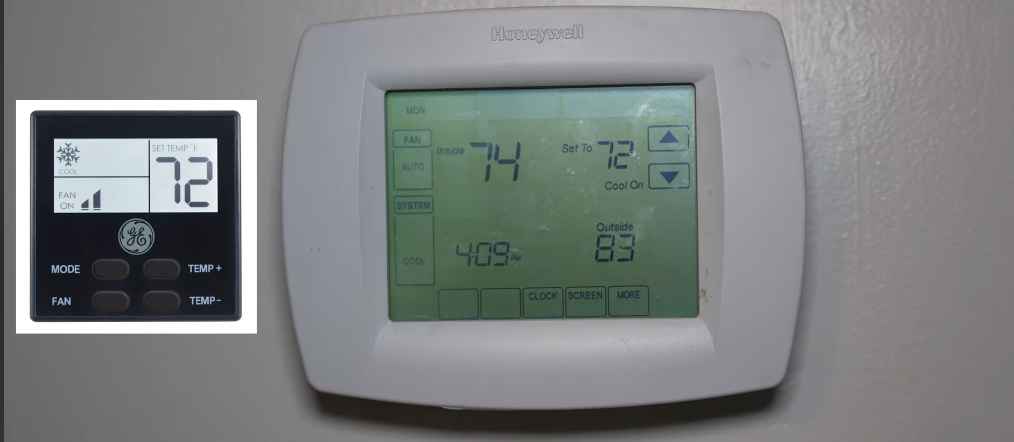
What does the snowflake symbol mean on my thermostat?
The snowflake symbol on your thermostat typically indicates active cooling mode.
This means your thermostat is set to lower the indoor temperature suitable for hot weather.
When this symbol appears, it signifies that your thermostat has activated the air conditioning or cooling function.
This model is designed to lower the indoor temperature by removing heat from your home, making it suitable for hot weather.
However, during the winter months or when you desire heating, the appearance of the snowflake symbol can be perplexing and problematic.
It means that your thermostat is set to cooling when you need heating.
Neglecting this issue can result in discomfort and higher energy bills, as your heating system won’t engage when required.
Why is the snowflake on my thermostat blinking?
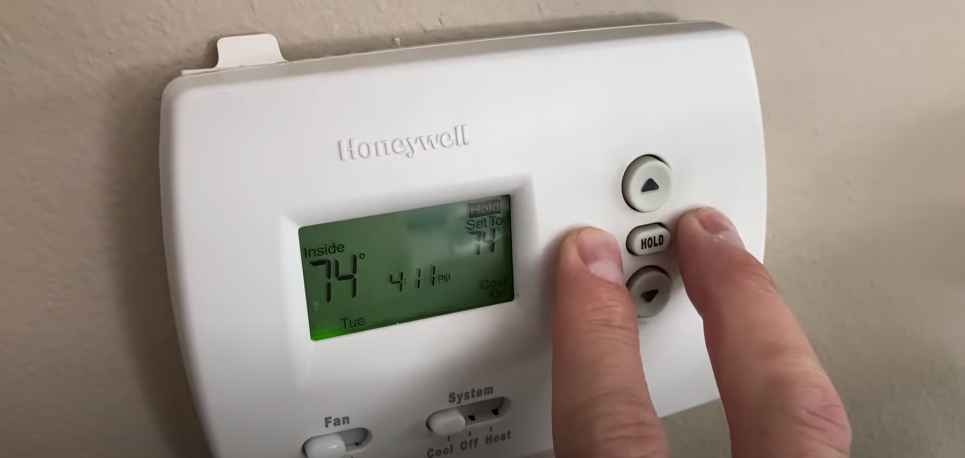
Low Battery Power
When the snowflake on your thermostat blinks, one possible reason is low battery power.
Many thermostats are battery-powered, and when the batteries are running low, the thermostat may display a blinking snowflake to alert you.
Batteries provide the necessary power for your thermostat to function correctly.
When they are depleted, it can lead to erratic behavior, including the blinking snowflake.
To resolve this issue, replace the thermostat’s batteries with fresh ones. Make sure to follow the manufacturer’s recommendations for battery type and installation.
Thermostat Setting
Another reason for the snowflake on your thermostat blinking could be related to the thermostat’s settings.
It’s essential to check the thermostat’s configuration, as an incorrect setting can trigger this indicator.
The snowflake symbol typically represents the cooling mode used to lower the indoor temperature.
If it’s blinking when you expect heating, your thermostat might be set to cooling mode instead of heating.
To correct this, access your thermostat’s menu or settings and ensure it’s configured for heating mode during the colder months.
Adjusting this setting should stop the snowflake from blinking and activate the heating system when needed.
If you need clarification about the thermostat’s settings, consult the user manual or contact the thermostat manufacturer for guidance.
Sensor or Wiring Issues
Sensor or wiring problems within your HVAC system may also cause a blinking snowflake on your thermostat.
Sensors in your thermostat play a critical role in detecting temperature and relaying commands to your heating or cooling system.
If these sensors are malfunctioning or there are issues with the wiring connecting the thermostat to your HVAC equipment, it can result in the blinking snowflake.
To address this, you may need to consult a professional HVAC technician.
They can diagnose and repair any sensor or wiring issues, ensuring that your thermostat operates correctly and that the snowflake symbol functions as intended, indicating the appropriate heating or cooling mode.
System Malfunction
A blinking snowflake on your thermostat could sometimes indicate a malfunction within your heating and cooling system.
This malfunction could be related to a faulty component, such as a compressor or a refrigerant leak in your air conditioning system, or issues with the heating elements in your furnace.
When a system malfunction occurs, your thermostat may display a blinking snowflake to signal that it cannot communicate effectively with the HVAC equipment.
In such situations, it’s crucial to have a professional HVAC technician inspect and diagnose the problem.
They can identify the specific issue within your system and perform the necessary repairs or replacements to ensure your thermostat functions correctly and maintains your desired indoor temperature.
While low battery power, thermostat settings, sensor or wiring issues, and system malfunction are the most common reasons for a blinking snowflake, you must consult a qualified technician if the issue persists or if you suspect a more complex problem with your HVAC system.
How to fix flashing snowflake on thermostat?
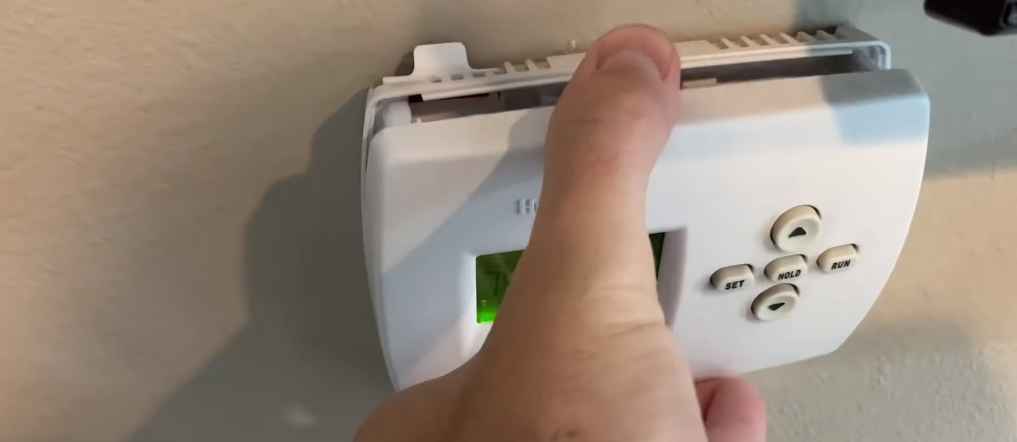
Step 1: Identify the Issue
The first step in fixing a flashing snowflake on your thermostat is determining the cause.
This will help you address the specific problem effectively. Common causes include low battery power, incorrect thermostat settings, sensor or wiring issues, or a system malfunction.
Here’s how to do it:
- Observe the Thermostat Display: Look closely at your thermostat’s display. Note the specific details surrounding the flashing snowflake. Are there any error codes or messages displayed alongside it? This information can provide valuable clues about the issue.
- Check the Season: Consider the current season and weather conditions. The snowflake symbol typically indicates a cooling mode suitable for hot weather. If it’s winter and you need heating, the flashing snowflake is likely indicating an incorrect mode setting.
- Review the Thermostat Manual: Consult your thermostat’s user manual or documentation. It often contains troubleshooting information and explanations of the displayed symbols. Refer to the manual to understand what the snowflake symbol signifies for your specific thermostat model.
- Inspect Other Thermostat Settings: Examine the thermostat’s settings menu. Verify the mode (heating or cooling) and temperature settings. Ensure they match your current comfort requirements. Incorrect settings can be a common cause of the issue.
- Listen for HVAC Operation: Pay attention to your heating or cooling system’s operation when the snowflake is flashing. Do you hear the HVAC equipment running, even though you believe it should be off? This can help determine if the thermostat is signaling correctly.
- Note Any Unusual Behavior: If the flashing snowflake is accompanied by other unusual behavior, such as inconsistent temperature changes or frequent cycling of your HVAC system, note these observations. They can provide valuable information to a professional technician.
- Consider Recent Changes: Reflect on any recent changes or maintenance performed on your HVAC system or thermostat. Sometimes, issues arise after adjustments or repairs.
Step 2: Replace Batteries
If the flashing snowflake is due to low battery power, follow these steps to replace the batteries:
- Turn off your HVAC system to prevent any interference while replacing the batteries.
- Locate the battery compartment on your thermostat. This is usually on the back or bottom of the thermostat.
- Remove the old batteries from the compartment, paying attention to their orientation.
- Insert fresh batteries, following the correct polarity (usually indicated inside the battery compartment).
- Close the battery compartment and ensure it’s securely fastened.
Step 3: Adjust Thermostat Settings
If the issue is related to thermostat settings, here’s how to adjust them:
- Access the thermostat’s menu or settings. The exact process may vary depending on your thermostat model.
- Navigate to the mode settings and ensure it’s configured for heating mode during the colder months.
- Make any necessary adjustments to the temperature settings to match your comfort preferences.
- Save the changes and exit the menu.
Step 4: Check for Sensor or Wiring Issues
To address sensor or wiring problems, follow these steps:
- Turn off your HVAC system.
- Carefully remove the thermostat from its mounting plate by gently pulling it away from the wall.
- Inspect the wiring connections behind the thermostat to ensure they are secure and undamaged.
- If you notice any loose or damaged wires, consult a professional HVAC technician to repair or replace them.
- Reattach the thermostat to the mounting plate securely.
Step 5: Professional Inspection
If the flashing snowflake persists or you suspect a system malfunction, it’s time to seek professional help:
- Contact a licensed HVAC technician to schedule an inspection of your heating and cooling system.
- Explain the issue, including the blinking snowflake and any other symptoms you’ve observed.
- Allow the technician to diagnose the problem within your HVAC system.
- Follow their recommendations for repairs or replacements to ensure your thermostat operates correctly.
How to fix blinking snowflake on thermostat white-Rodgers?
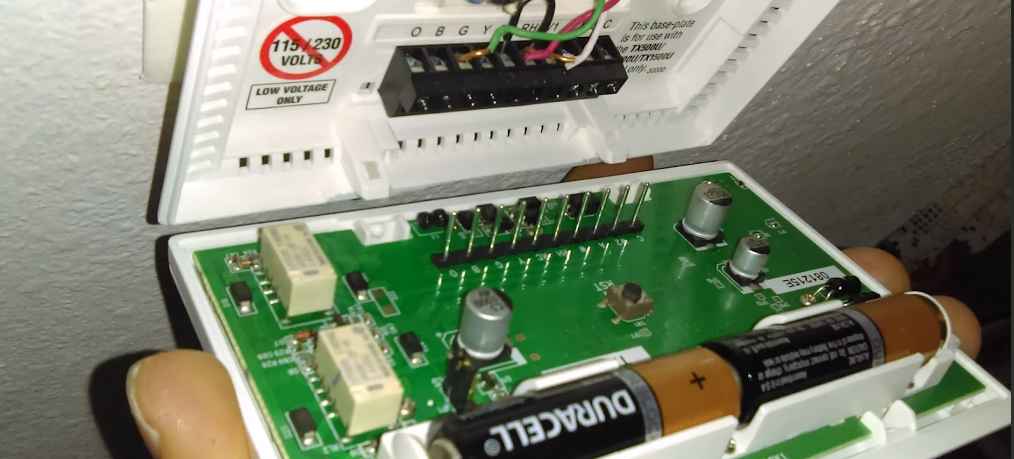
To fix a blinking snowflake on a White Rodgers thermostat, follow these steps:
- Step 1: Identify the Issue
- Observe the thermostat display and any accompanying error codes or messages.
- Check if the current season matches the cooling or heating mode.
- Review the thermostat’s user manual for information on the snowflake symbol.
- Step 2: Check Thermostat Settings
- Access the thermostat’s settings menu.
- Verify that the mode (heating or cooling) is correctly set for your current needs.
- Ensure that the temperature settings align with your comfort preferences.
- Step 3: Replace Batteries
- If low battery power is suspected, turn off the HVAC system.
- Locate the battery compartment on the thermostat and open it.
- Remove the old batteries, noting their polarity.
- Insert fresh batteries, following the correct polarity.
- Close the battery compartment securely.
- Step 4: Inspect Wiring and Connections
- Turn off the HVAC system.
- Gently remove the thermostat from its mounting plate.
- Examine the wiring connections behind the thermostat for security and damage.
- Consider consulting a professional HVAC technician for repairs if you find loose or damaged wires.
- Step 5: Seek Professional Assistance
- If the blinking snowflake issue persists despite your efforts, contact a licensed HVAC technician.
- Explain the problem, including the flashing snowflake, and any other unusual behavior.
- Allow the technician to inspect and diagnose your HVAC system’s problem thoroughly.
- Follow their recommendations for any necessary repairs or replacements.
You can follow the same method to fix the flashing snowflake on the Emerson thermostat.
Frequently Asked Questions for How to fix blinking snowflake on thermostat
Why is the flashing snowflake on my thermostat important to address?
It’s important to address because it means your thermostat is in cooling mode when you might need heating, leading to discomfort and increased energy bills.
Are there different thermostat models with unique troubleshooting steps for a flashing snowflake?
Yes, different thermostat models may have specific troubleshooting steps. Consult your thermostat’s manual for model-specific guidance.
If the issue persists, should I replace my thermostat?
If all troubleshooting steps fail, replacing a malfunctioning thermostat with a newer model may be necessary for consistent operation.
Is fixing a flashing snowflake on my thermostat without professional help possible?
Yes, many issues can be resolved through DIY troubleshooting steps. However, if problems persist, professional assistance may be necessary.
How often should I replace the batteries in my thermostat to prevent the flashing snowflake problem?
Battery replacement frequency varies, but replacing them annually or when the low battery indicator appears is a good practice.
Is resetting my thermostat to its factory settings to resolve the flashing snowflake problem safe?
Resetting to factory settings should be a last resort. It’s best to follow troubleshooting steps and consult the manual first.
Wrapping up
In conclusion, addressing a flashing snowflake on your thermostat is essential to maintaining indoor comfort and energy efficiency.
This common issue can result from various factors, including low battery power, incorrect settings, sensor or wiring problems, or even system malfunctions.
However, armed with the knowledge of identifying and resolving these issues, you can take proactive steps to ensure your thermostat operates smoothly.
By following the appropriate troubleshooting steps, such as adjusting settings, replacing batteries, or inspecting wiring, you can resolve the problem independently.
In cases where the issue persists or is more complex, seeking professional assistance from an HVAC technician is a wise choice.
Ultimately, keeping your thermostat in good working condition ensures your home remains comfortable throughout the year, contributing to energy savings and reduced utility costs.
