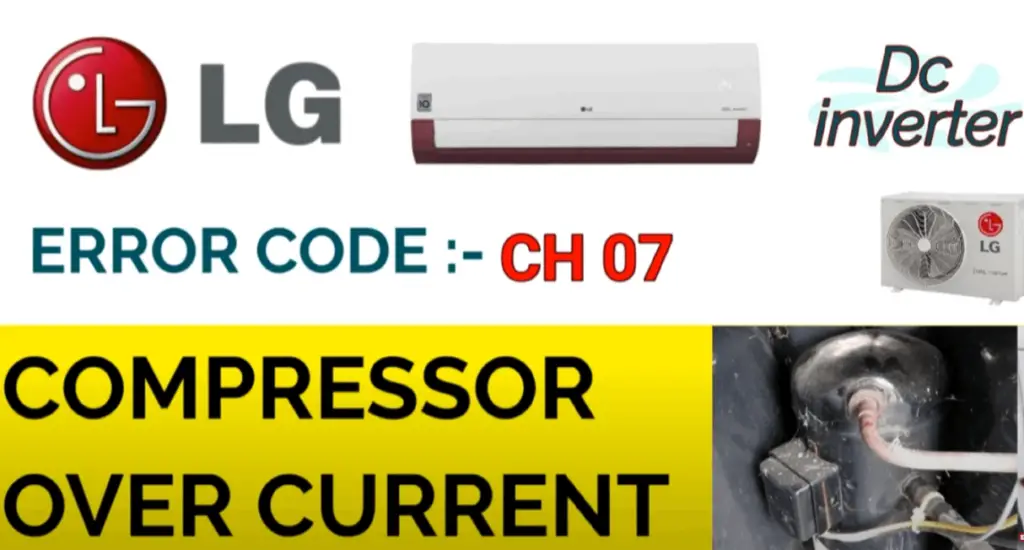
If you own an LG Dual Inverter air conditioner, you might have come across the error code CH 07 at some point. This code can be frustrating, especially when you’re trying to keep your home or office cool during hot weather. In this article, we’ll discuss what CH 07 means on LG Dual Inverter and how you can troubleshoot it to get your air conditioner working again.
What is LG Dual Inverter?
Before we dive into what CH 07 means, it’s essential to understand what LG Dual Inverter is. LG Dual Inverter is a type of air conditioner that uses a dual inverter compressor to regulate the temperature of a room. The dual inverter compressor is designed to adjust the speed of the compressor motor according to the room’s temperature, ensuring optimal energy efficiency and comfort.
What does CH 07 mean on LG Dual Inverter?
CH 07 is an error code that indicates a communication problem between the indoor and outdoor units of your LG Dual Inverter air conditioner. This error code can be caused by various factors, including loose or damaged wiring, faulty printed circuit boards, or a malfunctioning fan motor.
How to Troubleshoot CH 07 on LG Dual Inverter?
If you encounter CH 07 on your LG Dual Inverter air conditioner, here are some troubleshooting steps you can take to resolve the issue:
Step 1: Check the Wiring
The first thing you should do is check the wiring connections between the indoor and outdoor units. Make sure that all connections are tight and secure. Loose or damaged wiring can cause communication problems between the units, leading to the CH 07 error code.
Step 2: Check the Printed Circuit Boards
If the wiring connections are fine, the next thing you should check is the printed circuit boards (PCBs) of your air conditioner. PCBs are responsible for controlling the different functions of your air conditioner. A faulty PCB can cause communication issues between the indoor and outdoor units, leading to the CH 07 error code.
Step 3: Check the Fan Motor
The fan motor is another component that can cause CH 07 on your LG Dual Inverter air conditioner. A malfunctioning fan motor can cause communication problems between the units, leading to the error code. Check the fan motor to see if it’s running correctly. If it’s not, you may need to replace it.
Step 4: Contact a Professional
If you’ve gone through the above steps and still can’t resolve the CH 07 error code, it’s time to contact a professional technician. A qualified technician can diagnose the problem and provide the necessary repairs to get your air conditioner working again.
LG Dual Inverter ThinQ Error Code CH 07
Error code CH 07 is a common issue that occurs in LG Dual Inverter ThinQ air conditioners. This error code is an indication that there is a communication problem between the indoor and outdoor units of the air conditioner. When this error code appears on the unit’s display, the air conditioner will stop working, and you won’t be able to change the temperature or mode until you resolve the issue.
Possible Causes of LG Dual Inverter ThinQ Error Code CH 07
Several factors can cause LG Dual Inverter ThinQ Error Code CH 07 to appear on the unit’s display. Here are some possible causes:
1. Wiring Issues
A common cause of CH 07 error code is loose, damaged, or disconnected wiring between the indoor and outdoor units. Any wiring problem that affects communication between these units can trigger this error code.
2. Outdoor Unit Problems
Issues with the outdoor unit can also cause LG Dual Inverter ThinQ Error Code CH 07. Some of these issues include a faulty outdoor PCB board, defective outdoor fan motor, or low refrigerant levels.
3. Indoor Unit Issues
The indoor unit can also cause this error code. If the indoor PCB board is faulty or if there are issues with the temperature sensor, the unit may display the CH 07 error code.
How to Fix LG Dual Inverter ThinQ Error Code CH 07
If you encounter LG Dual Inverter ThinQ Error Code CH 07, you can try the following steps to resolve the issue:
1. Check the Wiring
The first thing to do when you encounter this error code is to check the wiring between the indoor and outdoor units. Ensure that all connections are secure and that there are no loose or damaged wires. If you find any issues, repair or replace the wiring as necessary.
2. Check the Outdoor Unit
If the wiring is not the issue, the next step is to check the outdoor unit. Look for any visible signs of damage or wear, such as bent fins, leaking refrigerant, or a damaged fan motor. If you identify any problems, call a professional to fix them.
3. Check the Indoor Unit
If the outdoor unit appears to be in good condition, check the indoor unit. Look for any signs of damage or wear, such as a malfunctioning PCB board or a faulty temperature sensor. If you find any issues, call a professional to fix them.
lg inverter ac error code ch 36
LG inverter AC error code CH36 indicates a problem with the indoor air temperature sensor. This sensor is responsible for measuring the temperature of the air in the room and sending that information to the unit’s control board.
When the sensor detects an abnormal temperature, it triggers the CH36 error code and the air conditioner will stop working. This is done as a safety measure to prevent damage to the unit and to ensure that it operates efficiently.
To resolve this issue, you will need to contact a qualified technician to diagnose and repair the problem. They will likely need to replace the faulty sensor or make other repairs to the unit’s control board.
LG dual inverter air conditioner error code ch 38
LG Dual Inverter air conditioner error code CH38 indicates a problem with the refrigerant temperature sensor. This sensor is responsible for measuring the temperature of the refrigerant as it circulates through the system.
When the sensor detects an abnormal temperature, it triggers the CH38 error code and the air conditioner will stop working. This is done as a safety measure to prevent damage to the unit and to ensure that it operates efficiently.
To resolve this issue, you will need to contact a qualified technician to diagnose and repair the problem. They will likely need to replace the faulty sensor or make other repairs to the refrigerant system. Attempting to repair the unit yourself may be dangerous and could cause further damage, so it’s best to leave it to the professionals.
Q1. How do I reset my LG Dual Inverter air conditioner?
To reset your LG Dual Inverter air conditioner, press and hold the power button on the remote control for five seconds. The air conditioner will turn off, and the display will go blank. Wait for a few minutes before turning the air conditioner back on.
Q2. How often should I clean my LG Dual Inverter air conditioner?
You should clean your LG Dual Inverter air conditioner every three months. Cleaning the air filter and removing any debris from the outdoor unit can improve the efficiency and lifespan of your air conditioner.
Q3. Can I fix the CH 07 error code on my own?
While it’s possible to troubleshoot the CH 07 error code on your own, we recommend contacting a professional technician if you’re unsure about the cause of the problem. Attempting to repair your air conditioner without proper knowledge can be dangerous and cause further damage to the unit.
Q4. How can I prevent the CH 07 error code from happening?
To prevent the CH 07 error code from happening, you should schedule regular maintenance for your LG Dual Inverter air conditioner. This includes cleaning the air filter, checking the wiring connections, and inspecting the outdoor unit for debris. Regular maintenance can also improve the efficiency and lifespan of your air conditioner.
Q5. How do I find a qualified technician to repair my LG Dual Inverter air conditioner?
You can find a qualified technician to repair your LG Dual Inverter air conditioner by contacting the manufacturer or a licensed HVAC contractor. Make sure to ask for their credentials and experience before hiring them to ensure that they’re qualified to handle your air conditioner.
Conclusion
In conclusion, CH 07 is an error code that indicates a communication problem between the indoor and outdoor units of your LG Dual Inverter air conditioner. This error code can be caused by various factors, including loose or damaged wiring, faulty PCBs, or a malfunctioning fan motor.
By following the troubleshooting steps outlined in this article, you can resolve the issue and get your air conditioner working again.
