Yes, Alexa can control your air conditioner if you have the right type of air conditioner and the correct smart home hub.
Some air conditioners require a special smart home hub in order to work with Alexa, while others may work with Alexa without a hub. To check if your air conditioner is compatible with Alexa, consult your air conditioner’s manual or website.
Yes, Alexa can control your air conditioner! You can use voice commands to turn on/off, set the temperature, and even ask for the current temperature. All you need is an air conditioner that’s compatible with Amazon’s smart home platform, and an Echo device.
Alexa air conditioner commands
If you’re looking for ways to control your air conditioner with Alexa, you’ve come to the right place. In this blog post, we’ll go over some of the basic commands you can use to control your air conditioner with Alexa. First, you’ll need to make sure that your air conditioner is compatible with Alexa.
Once you’ve confirmed that, you can start using voice commands to control your air conditioner.
Here are some of the basic commands you can use:
“Alexa, turn on the air conditioner.”
“Alexa, set the air conditioner to 75 degrees.” “Alexa, turn off the air conditioner.” “Alexa, what’s the temperature in the room?”
“Alexa, set the air conditioner to fan mode.” “Alexa, set the air conditioner to auto mode.” “Alexa, increase the air conditioner temperature.”
“Alexa, decrease the air conditioner temperature.”
These are just some of the basic commands you can use to control your air conditioner with Alexa. For more detailed instructions on how to control your air conditioner with Alexa, be sure to check your air conditioner’s manual or contact the manufacturer.
Sensibo
If you have ever wished you could control your home’s climate with just the push of a button, then you will love Sensibo. This amazing little device allows you to do just that, and so much more. With Sensibo, you can control your home’s temperature, humidity, and even air quality, all from the comfort of your smartphone.
What’s even better is that Sensibo can learn your preferences over time, so you never have to worry about adjusting the settings yourself. It’s the perfect solution for those who want the ultimate in convenience and comfort.
So how does Sensibo work?
It’s actually very simple. You need to install the Sensibo app on your smartphone. You put the device in your home near the thermostat.
That’s it!
Once you’ve done that, you’ll be able to control your home’s climate from anywhere in the world. The Sensibo app is available for both iOS and Android, so you can use it no matter what type of smartphone you have.
And best of all, Sensibo is very affordable, so you won’t have to break the bank to enjoy its many benefits. If you’re looking for a way to take your home’s comfort to the next level, then Sensibo is the perfect solution.
How can I control my air conditioner remotely?
As the weather begins to warm up, many of us are thinking about how to keep our homes cool and comfortable throughout the summer months. One option is to install a remote-controlled air conditioner. There are a few different ways to control your air conditioner remotely.
One option is to use a smart thermostat, such as the Nest Learning Thermostat. This type of thermostat can be controlled using your smartphone or tablet. Another option is to install a remote control kit, which is available for most air conditioners.
This type of kit typically includes a remote control and a receiver that mounts on the air conditioner. If you’re looking for a way to keep your home cool and comfortable this summer, a remote-controlled air conditioner may be the perfect solution.
Voice control air conditioner
As the weather gets warmer, many of us are thinking about how to keep our homes cool and comfortable. One option is to use a voice-controlled air conditioner. Voice-controlled air conditioners are a type of smart air conditioner that can be controlled using voice commands.
This can be done through a smart speaker, such as the Amazon Echo or Google Home, or through a mobile app. Voice-controlled air conditioners offer a number of benefits. First, they can be very convenient.
If you’re already using a smart speaker for other tasks, such as playing music or controlling your lights, you can easily add air conditioning to your list of things to control. Second, voice-controlled air conditioners can be more energy-efficient than traditional air conditioners because you can set them to only run when you need them. For example, you can set the air conditioner to turn on when you say “Hey Google, turn on the air conditioner,” and then turn off when you leave the room.
If you’re thinking about getting a voice-controlled air conditioner, there are a few things to keep in mind. First, you’ll need to make sure that your home is compatible with the air conditioner you choose. Some air conditioners require a Wi-Fi connection, while others may work with Bluetooth.
Smart air conditioner
If you’re in the market for a new air conditioner, you may be wondering if a smart air conditioner is worth the investment. While smart air conditioners come with a higher price tag, they also offer a number of features and benefits that can save you money and help keep your home comfortable.
Here are some of the top reasons to consider a smart air conditioner:
1. You’ll save money on your energy bills. With a smart air conditioner, you can take advantage of energy-saving features like scheduling and remote access. This means you can set your AC to run only when you need it, and you won’t have to waste energy cooling an empty house.
2. You can control your AC from anywhere. With a smart AC, you can adjust the temperature, set a schedule, and turn your air conditioner on or off no matter where you are. This is perfect for those hot summer days when you want to come home to a cool house, or if you forget to turn your AC off before you leave for vacation.
3. You’ll have peace of mind. A smart air conditioner can help you keep an eye on your home’s temperature even when you’re away. Some smart AC’s come with features like temperature alerts that can notify you if your home gets too hot or cold.
This way, you can make adjustments as needed to keep your home comfortable and avoid costly damage.
Alexa ac thermostat
If you’re looking for a way to control your home’s temperature without lifting a finger, consider the Alexa ac thermostat. This device allows you to adjust your home’s temperature using voice commands, making it a convenient option for those who want to avoid getting up to fiddle with the thermostat.
In addition to being voice-activated, the Alexa ac thermostat also features a color touch screen that makes it easy to see what temperature you’re setting.
The device is compatible with Amazon’s Echo and Dot devices, making it a breeze to control with your voice. If you’re looking for a way to save money on your energy bill, the Alexa ac thermostat can help. The device includes a feature that allows you to set temperature limits, so you can make sure your AC unit doesn’t run when you don’t need it.
You can also set schedules so your home is only heated or cooled when you’re actually home. The Alexa ac thermostat is a convenient and affordable way to control your home’s temperature.
If you’re looking for an easy way to stay comfortable without breaking the bank, this is the device for you.
Smart ac controller
As the name suggests, a smart AC controller is a device that helps you control your air conditioner from your smartphone. It is a small box that sits between your air conditioner and the wall outlet, and uses your home’s Wi-Fi network to connect to your smartphone.
Once you have set up the smart AC controller, you can use your smartphone to turn on or off your air conditioner, set a schedule, or even adjust the temperature.
You can also use the smartphone app to check on the current status of your air conditioner, and get alerts if there is a problem.
The smart AC controller is a great way to save energy and money, as you can program it to turn on or off at certain times of the day, or when the temperature outside reaches a certain level. It is also a convenient way to control your air conditioner, as you can do it from anywhere in your home.
How to connect air conditioner to wifi?
If you’re like most people, you probably don’t think much about your air conditioner until it’s hot outside and you need to turn it on. But if you have a newer model air conditioner, it’s likely that it came with the ability to connect to your home’s Wi-Fi network. This can be a great convenience, allowing you to control your AC unit from your smartphone or other mobile device.
So how do you connect your air conditioner to Wi-Fi? The process is actually pretty straightforward.
First, make sure that your AC unit is powered on and within range of your router.
Then, open the app that came with your air conditioner (most likely, this will be the manufacturer’s app). Once the app is open, look for a menu option that says “Add Device” or something similar. To add your air conditioner to your network, follow the instructions on the screen.
This will usually involve entering your router’s password. Once your air conditioner is connected, you’ll be able to control it from the app on your phone or other device.
One thing to keep in mind is that not all air conditioners are compatible with all Wi-Fi routers.
So if you’re having trouble connecting, it’s possible that you’ll need to get a different router. But in most cases, connecting your air conditioner to Wi-Fi is a pretty simple process.
How do I connect my AC to my Alexa?
If you want to be able to control your AC with your voice, you’ll need to connect it to your Alexa device. Here’s how to do it:
- Open the Alexa app on your mobile device.
- Tap the menu icon in the top-left corner of the screen.
- Select “Skills & Games.”
- Search for “AC Control” and tap on the skill when it appears in the results.
- Tap “Enable” to enable the skill.
- Follow the instructions on the screen to link your AC to your Alexa device.
Once you’ve completed the steps above, you’ll be able to control your AC using your voice.
Can AC be controlled by Alexa?
Yes, AC can be controlled by Alexa. AC is an abbreviation for air conditioning.
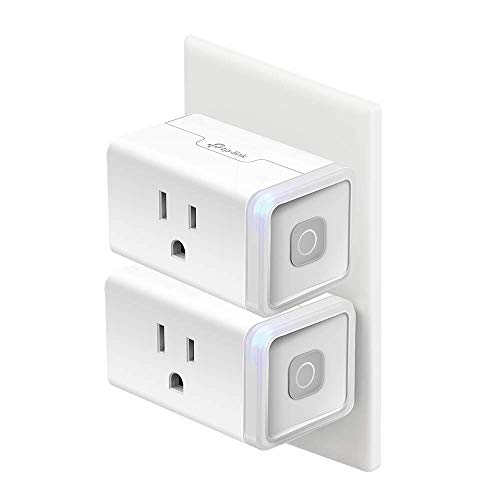
There are a few different ways to control AC with Alexa. One way is to use an AC controller that is compatible with Amazon’s Echo line of products. Another way is to use a smart plug that is compatible with Alexa. AC can also be controlled by a smart thermostat that is compatible with Alexa, such as the Nest Learning Thermostat.
Which air conditioner works with Alexa?
If you’re looking for an air conditioner that works with Alexa, you’re in luck. Many popular brands offer air conditioners that are compatible with Amazon’s voice assistant.
Some of the top air conditioners that work with Alexa include models from LG, Frigidaire, and Honeywell.
To find an Alexa-compatible air conditioner, simply search for “air conditioners” in the Amazon Alexa app or visit the Amazon website and filter your results by “Alexa compatible.”
Once you’ve found an Alexa-compatible air conditioner, you’ll need to set it up with your Amazon Echo device. The process is relatively simple and only takes a few minutes.
To get started, open the Amazon Alexa app on your smartphone and select the “Devices” tab. Then, select the “+” icon and choose “Add device.” Next, select “Air conditioner” from the list of compatible devices.
Now, you’ll be prompted to enter your air conditioner’s model number. Once you’ve entered the model number, Amazon will provide you with a list of instructions on how to complete the setup process. Once your air conditioner is set up with Alexa, you’ll be able to control it using voice commands.
For example, you can say “Alexa, turn on the air conditioner” or “Alexa, set the air conditioner to 72 degrees.”
How can I control my AC with WiFi?
If you want to control your AC with WiFi, there are a few different ways to do it. The most common way is to use a smart thermostat. Smart thermostats are devices that you can connect to your WiFi network and then control from your smartphone or other mobile device.
Many smart thermostats also have features like energy saving mode, scheduling, and remote access. Another way to control your AC with WiFi is to use a WiFi enabled AC remote. These devices usually come with an app that you can use to control the AC from your mobile device.
Finally, some AC units come with built-in WiFi control. In this case, you can usually control the AC unit using the manufacturer’s app or a third-party app. No matter which method you use, controlling your AC with WiFi can be a great way to save energy and money.
Conclusion
Yes, Alexa can control your air conditioner if you have a compatible smart AC unit. You can use voice commands to turn on/off the AC, change the temperature, set a schedule, and more. To get started, you’ll need to link your AC to your Alexa account and enable the skill.
Once that’s done, you can start controlling your AC with just your voice.
