The most common reason for a Carrier AC unit not working is a power supply issue. This can occur if the circuit breaker has tripped or if the fuse has blown, resulting in a loss of power to the unit. It is important to check the circuit breaker or fuse box and reset the breaker or replace the fuse if necessary.
Without a proper power supply, the AC unit will not function. Therefore, this is often the first aspect to investigate when troubleshooting a non-working Carrier AC system.
Additionally, a dirty or clogged air filter can restrict airflow, so check and clean or replace the air filter as per the manufacturer’s instructions. Clear away any debris around the outdoor condenser unit, such as leaves or dirt, and ensure that the condenser fan is operating correctly.
Low refrigerant levels can indicate a leak, so if the refrigerant is low, it may need to be replenished by an HVAC technician who can also inspect for any leaks. Faulty components like capacitors, relays, or fan motors can cause problems, and if suspected, it’s best to contact a professional HVAC technician for diagnosis and repair.
Finally, some AC units have safety switches that can trip if there is an issue, so refer to the unit’s manual or seek professional help to locate and reset any safety switches.
How do I reset my carrier central air conditioner?
There are a few things you need to do in order to reset your carrier central air conditioner. First, you need to make sure that the power to the unit is turned off. Next, you need to remove the front panel of the unit.
Once you have removed the front panel, you will need to locate the reset button. The reset button is usually located near the control panel. Once you have found the reset button, you need to press and hold it for approximately 5 seconds.
After you have held the reset button for 5 seconds, you should then turn the power back on to the unit.
Why is my Carrier air conditioner not working?
If your Carrier air conditioner isn’t working, there are a number of potential reasons. First, check to make sure that the air conditioner is turned on and that the thermostat is set to “cool.” If the air conditioner is on and the thermostat is set properly, check to see if the condenser (the outdoor unit) is running.
When the condenser isn’t running, it could be because the power is off or because the condenser is frozen. If the power is off, check the circuit breaker or fuse box. Whether the condenser is frozen, turn off the air conditioner and wait for the ice to melt.
Once the ice has melted, turn the air conditioner back on and see if it works. If the condenser is running but the air conditioner isn’t cooling the house, it could be because the evaporator (the indoor unit) is frozen. If the evaporator is frozen, turn off the air conditioner and wait for the ice to melt.
Once the ice has melted, turn the air conditioner back on and see if it works.
Where is the reset button on a Carrier air conditioner?
If your Carrier air conditioner isn’t working properly, you may need to reset it. To do this, you’ll need to locate the reset button. The reset button is usually located near the control panel on the air conditioner.
Once you’ve found the reset button, press and hold it for about three seconds. After a few seconds, the air conditioner should reset and start working again.
Why is my carrier ac not cooling?
There could be several reasons why your Carrier AC unit is not cooling properly. Here are some common issues that you can check:
- Incorrect thermostat settings: Make sure the thermostat is set to the desired temperature and cooling mode. Verify that the temperature setting is lower than the current room temperature.
- Power issues: Check if the AC unit is receiving power. Ensure that the circuit breaker or fuse associated with the AC is not tripped or blown. Additionally, make sure the power switch on the AC unit is turned on.
- Dirty air filters: Dirty or clogged air filters can restrict airflow and reduce cooling efficiency. Check and clean or replace the air filters if necessary. This is a simple maintenance task that should be performed regularly.
- Blocked condenser unit: The outdoor unit’s condenser coil might be blocked or covered in debris. Inspect the condenser unit and remove any obstructions like leaves, dirt, or debris. Ensure there is enough clearance around the unit for proper airflow.
- Refrigerant leaks: Low refrigerant levels can prevent the AC unit from cooling effectively. If you suspect a refrigerant leak, it is best to contact a professional HVAC technician to inspect and repair the system.
- Faulty compressor or components: A malfunctioning compressor or other faulty components can also result in poor cooling performance. In such cases, it’s advisable to contact a qualified HVAC technician to diagnose and fix the issue.
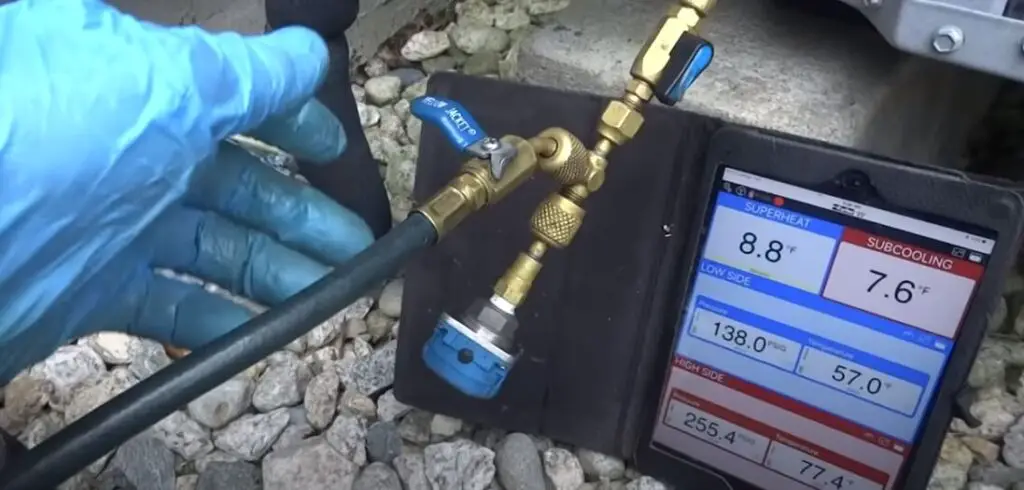
Why is my AC on but not cooling?
One possible reason why your AC is on but not cooling is that the compressor isn’t working. The compressor is responsible for circulating the refrigerant throughout the AC unit, and if it isn’t working, the AC won’t be able to properly cool your home. Another possibility is that the AC unit is low on refrigerant.
If the unit is low on refrigerant, it won’t be able to cool your home as effectively. Finally, the AC unit might not be sized properly for your home. If the unit is too small, it won’t be able to properly cool your home.
Carrier air conditioner reset button
If your Carrier air conditioner isn’t working properly, you may need to reset it. To do this, locate the reset button on the air conditioner. It’s usually located on the control panel.
Once you’ve found the reset button, press and hold it for about five seconds. After you’ve done this, the air conditioner should reset and start working again.
Carrier ac display not working
If you have a Carrier AC unit, you may have noticed that the display isn’t working. This can be a frustrating problem, but luckily there are a few things you can try to get it working again. First, make sure that the unit is plugged in and that the power switch is turned on.
If the display still does not come on, check the circuit breaker or fuse box to make sure that the unit is getting power.
Next, try pressing the reset button on the unit. If that doesn’t work, you may need to replace the batteries in the remote control.
Carrier air conditioner troubleshooting manual pdf
If your Carrier air conditioner isn’t working properly, you may be able to troubleshoot and fix the problem yourself. To help you out, we’ve put together a troubleshooting guide with step-by-step instructions. Before you begin, make sure to read through the manual that came with your air conditioner.
This will give you a good starting point and familiarize you with the different parts of the unit. If your air conditioner isn’t cooling properly, the first thing you should check is the air filter. A dirty air filter can block airflow and cause the unit to work harder, which can lead to problems.
When the air filter is dirty, replace it with a new one. If the air filter is clean and the unit is still not cooling properly, check the evaporator coils. If they’re dirty, they won’t be able to absorb heat properly and the unit will have to work harder to cool the air.
Clean the coils with a brush and some disinfectant. If the coils are clean and the unit is still not cooling properly, check the condenser coils. If they’re dirty, they won’t be able to release heat properly and the unit will have to work harder to cool the air.
Clean the coils with a brush and some disinfectant. If the coils are clean and the unit is still not cooling properly, the Freon level may be low.
Carrier AC system not running or cooling
Carrier ac not turning off
If your Carrier AC unit is not turning off, there are a few potential causes. First, check to make sure that the unit is properly plugged in and that the circuit breaker has not been tripped. If the unit is plugged in and the breaker is not tripped, then the problem may be with the unit itself.
carrier ac not turning off. There are a few potential causes of this problem. First, check to make sure that the unit properly plugged in and that the circuit breaker has not tripped.
When the unit is plug in and the breaker is not trip, then the problem may be with the unit itself. One potential cause of the problem is a faulty thermostat. If the thermostat is not working properly, it may not be sending the signal to the AC unit to turn off.
Another potential cause is a problem with the AC unit itself. If the AC unit is not receiving the signal from the thermostat to turn off, it may be because the AC unit is not working properly.
Air conditioner not blowing cold air but running
If your air conditioner is running but not blowing cold air, there are a few potential causes.
First, check to make sure that your thermostat is set to “cool” and that the temperature is set lower than the current room temperature. If the thermostat is set properly, the next thing to check is the air filter.
A dirty air filter can restrict air flow, causing the air conditioner to run but not blow cold air. Clean or replace the air filter and see if that solves the problem. If the air conditioner is still not blowing cold air, the problem could be with the evaporator coil.
This is a more serious issue and will likely require a professional to fix it.
Orange light on carrier air conditioner
If you see an orange light on your Carrier air conditioner, it means that the unit is in standby mode. In this mode, the air conditioner is not cooling the air, but it is still using a small amount of electricity to power the fan and other components.
The unit will automatically switch to standby mode when the room temperature reaches the set point on the thermostat.
Carrier furnace ac not working
If your Carrier furnace AC isn’t working, there are a few things you can check before calling a technician. First, make sure that the furnace switch is turned on. Next, check the thermostat to see if it is set to “cool” mode.
If it is, then check to see if the temperature is set correctly. Finally, check the air filter to see if it is clean. If it isn’t, then replace it.
Ac indoor fan not working
If your AC indoor fan isn’t working, there are a few things you can do to try and fix the problem. First, check to make sure that the power to the unit is turned on. Next, check the thermostat to see if it is set to the correct temperature.
If both of these things are working properly, then the problem may be with the fan itself. If the fan is dirty, it may not be spinning properly. Try cleaning the fan blades with a soft cloth.
If the problem persists, you may need to call a professional to service the unit.
Conclusion
If your central air conditioner is not working, it could be due to a number of reasons. First, check to see if the thermostat is set to “cool” and that the temperature is lower than the current room temperature.
Next, check to see if the outdoor unit is running. If the outdoor unit is not running, it could be due to a power issue, a tripped circuit breaker, or a disconnected wire. If the outdoor unit is running, but the indoor unit is not, there could be a problem with the indoor unit’s fan or the air filter could be dirty.
Finally, if the air conditioner is running, but not cooling the room, it could be low on refrigerant.
